shadcn.io is an independent project built on shadcn/ui
Project Setup and a muted Installing dependencies sit beside 35%. The bar under that block is filled to 35 percent.
Use a title and a subtitle when the bar is one step inside a larger job. A Spinner next to the subtitle is enough if that step has no size. In React, Base UI shows only the value you pass.
Installation
Anatomy
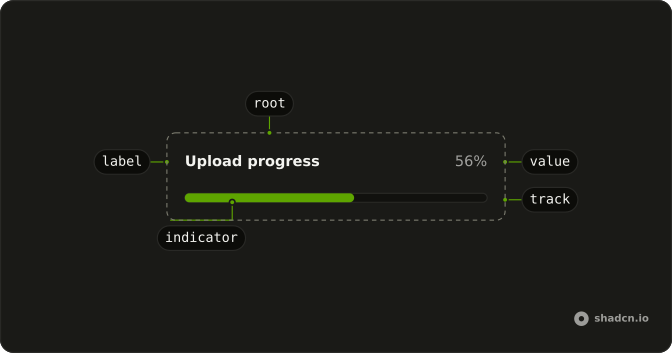
Usage
<Progress className="w-full max-w-md gap-2" value={35}>
  <div className="flex flex-col">
    <ProgressLabel>Project Setup</ProgressLabel>
    <span className="text-muted-foreground text-xs">
      Installing dependencies
    </span>
  </div>
  <ProgressValue className="font-medium text-foreground" />
</Progress>
FAQ
What is above the bar?
A column with ProgressLabel, Project Setup, over a muted span, Installing dependencies. ProgressValue sits at the end of the same row, and the full-width track wraps below.
Which line names the bar?
ProgressLabel does: the bar is announced as Project Setup.
The subtitle is plain text.
How do I have the subtitle read too?
The demo doesn't connect it.
Give the span an id and pass it to Progress as aria-describedby.
API Reference
Progress
Sets value={35}. The rest is on the Progress page.