shadcn.io is an independent project built on shadcn/ui
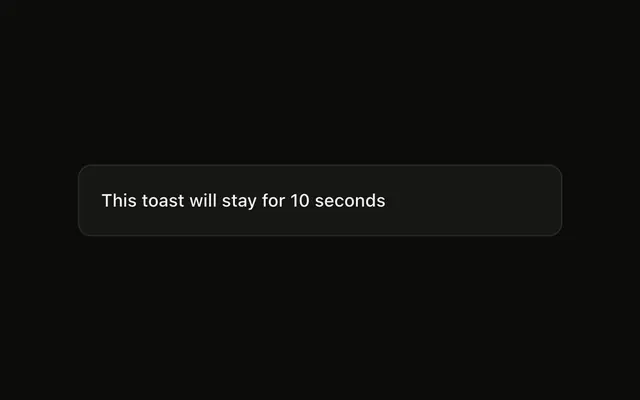
Load Data is an outline button. The toast says Loading... and, after 2 seconds, Data loaded successfully. This promise resolves, so the error line is not shown.
Use it when one notice should follow a request from waiting to done. If the result should stay on the page, use an Alert. In React, Base UI does not settle the promise.
Installation
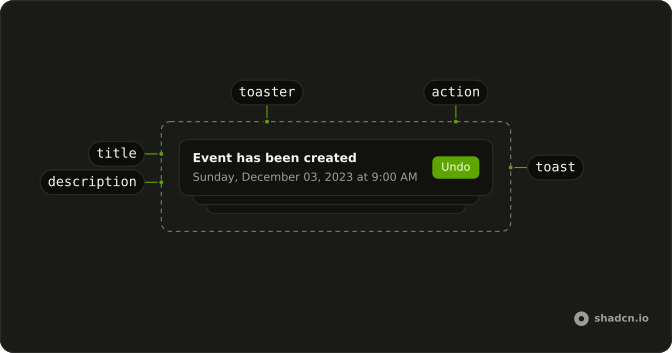
Anatomy
Usage
<>
  <Toaster />
  <Button onClick={handleShowToast} variant="outline">
    Load Data
  </Button>
</>
FAQ
Which messages does toast.promise get?
The call passes loading as "Loading...", success as "Data loaded successfully", and error as "Failed to load data". All three are strings. The same toast shows the loading line, then replaces it when the promise settles.
What does this promise actually resolve to?
It resolves after 2 seconds with { name: "User data" }. success is a plain string, so the toast shows "Data loaded successfully". Pass a function as success when the message should use the resolved value.
When does the error string show?
When the promise rejects. This button's promise always calls resolve, so the error line stays unused. The error string is still there for a rejection.
Does the call return anything?
Yes. toast.promise returns an id, and that id has unwrap(), which settles with the same value as the promise. This button ignores the return value.
API Reference
Sonner
No extra props in this demo. The rest is on the Sonner page.
Button
Sets onClick={handleShowToast} and variant="outline". The rest is on the Button page.