shadcn.io is an independent project built on shadcn/ui
Show Toast is an outline button. The notice says it will stay for 10 seconds, and the timer is 10 seconds. A swipe can still close it. Other toasts keep their own time.
Use a longer time when people need more than a glance. A message that must stay is an Alert, not a longer toast. In React, Base UI does not change the other toasts' timers.
Installation
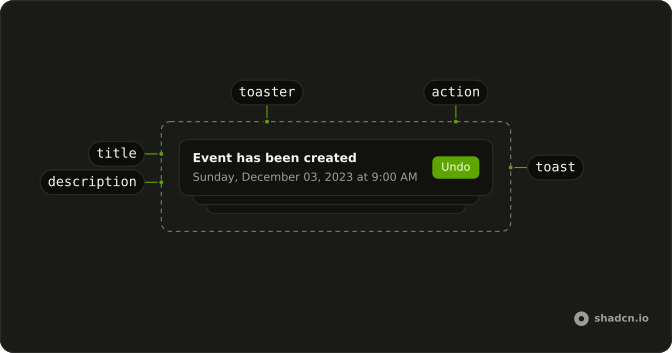
Anatomy
Usage
<>
  <Toaster />
  <Button onClick={handleShowToast} variant="outline">
    Show Toast
  </Button>
</>
FAQ
How long does this toast stay?
The call passes duration: 10_000 with the message "This toast will stay for 10 seconds". The number is milliseconds, so this notice stays for 10 seconds.
What is the lifetime when I omit duration?
A toast with no duration uses duration on Toaster, or 4 seconds when Toaster omits it too. This call sets the time on this toast only.
Can the user close it before 10 seconds?
Yes. This call omits dismissible, so a swipe can still close it. The timer only sets the auto-close.
Does this duration apply to every toast?
No. duration on the call is for this notice. Set duration on Toaster when every toast should share one lifetime.
API Reference
Sonner
No extra props in this demo. The rest is on the Sonner page.
Button
Sets onClick={handleShowToast} and variant="outline". The rest is on the Button page.