shadcn.io is an independent project built on shadcn/ui
Show Toast is an outline button. The notice says Payment successful, with a check icon passed in for this toast, and a second line that the payment has been processed.
Use your own icon when the built-in type icons are not the point. If the receipt should stay, use an Alert. In React, Base UI does not pick this icon.
Installation
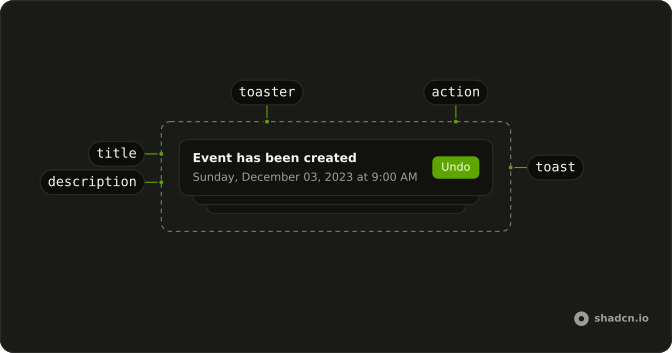
Anatomy
Usage
<>
  <Toaster />
  <Button onClick={handleShowToast} variant="outline">
    Show Toast
  </Button>
</>
FAQ
What does this toast pass?
toast is called with "Payment successful". The second argument sets description to "Your payment has been processed" and icon to a CheckCircleIcon with className="size-4".
Why does this call use plain toast?
The call is plain toast, so the icon on screen is the icon you passed. toast.success would use Toaster's CircleCheckIcon unless that call also passes icon.
Where do the icon and description sit?
description renders under the title. The icon element renders in the icon slot beside that text. This file passes both, and nothing else.
API Reference
Sonner
No extra props in this demo. The rest is on the Sonner page.
Button
Sets onClick={handleShowToast} and variant="outline". The rest is on the Button page.