shadcn.io is an independent project built on shadcn/ui
Show Toast is an outline button. The notice is a chat row: initials JD, the name John Doe, a New badge, a message about design mockups, and 2 minutes ago.
Use a custom layout when a title and a description cannot hold it. The toast still closes on its own. For a row that stays on the page, build it with Avatar. In React, Base UI does not lay out this notice.
Installation
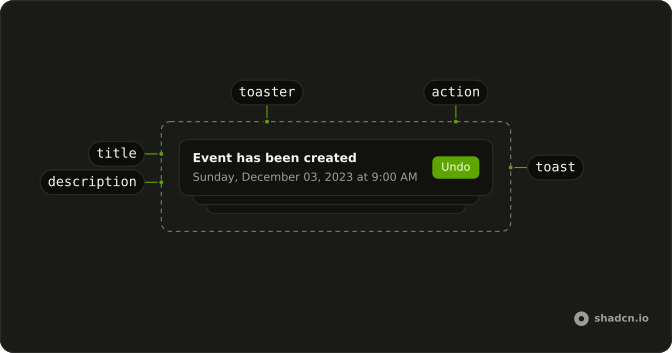
Anatomy
Usage
<>
  <Toaster />
  <Button onClick={handleShowToast} variant="outline">
    Show Toast
  </Button>
</>
FAQ
What gets passed to toast?
The first argument is a div, and that element is the title of a plain toast. This call passes no description, action, or icon.
What is inside that element?
A row with flex and gap-3: the avatar, then a column with the name and badge, the message, and a muted 2 minutes ago.
Does this use Avatar or Badge?
Yes. The circle is an Avatar with size="lg" and an AvatarFallback reading JD, and New is a Badge with pill. The name, message and time are a strong, a p and a span.
Is this toast.custom?
No. toast.custom takes a function of the toast id. This demo calls toast with the element directly, so the element is the title.
API Reference
Sonner
No extra props in this demo. The rest is on the Sonner page.
Button
Sets onClick={handleShowToast} and variant="outline". The rest is on the Button page.