Cron expression parser.
Type a cron expression and read it in English, with its next runs in any time zone and each field explained. Parsed in your browser, nothing uploaded.
Cron expression parser.
Need the UI around it? With Pro, your AI agent builds the form, the result card and the rest of the page from a prompt.
Get ProHow it works
3 steps, no account. It runs in your browser and nothing is uploaded.
Type the expression
Five or six fields, a shorthand such as @daily, or one of the common schedules.
Read it in English
The plain-English line says what it means; the fields are listed one by one.
Check the next runs
The next runs in the zone you pick, with how far away each one is.
Related tools
More security and dev tools. Every one free, in the browser.
Pricing
Build it with Pro
The tool is free. Pro adds 6,000+ blocks, premium templates and the MCP server, so your AI editor builds the product around it.
4.9/5 out of 5 · 150+ reviewsfrom 150+ founders and developers.
- Secure checkout via Stripe
- Code lives in your repo
- Keep what you've shipped if you cancel
- License terms
Questions and answers
Before you trust the result: what to know about the format, the limits, your data and the tools next to it.
Five fields separated by spaces: minute (0–59), hour (0–23), day of month (1–31), month (1–12 or JAN–DEC) and day of week (0–7 or SUN–SAT, with 0 and 7 both Sunday). A star means every value, a slash a step (*/5), a dash a range (1-5) and a comma a list (1,15).
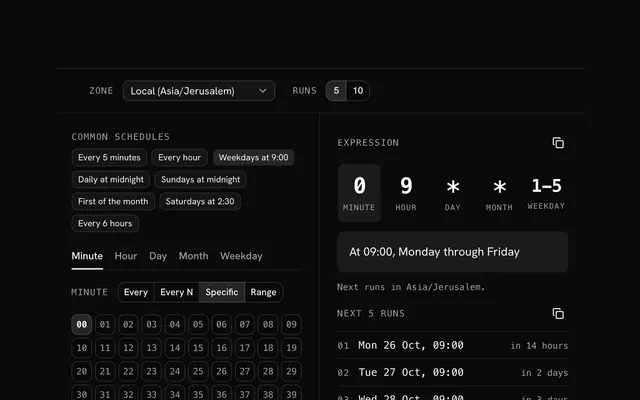
Minute 0 of hour 9 on any day of the month, any month, Monday to Friday: weekdays at 09:00. The English line under the field says exactly that, and the next runs list shows the dates it lands on.
When both are set to something other than a star, standard cron runs when either matches, not both: 0 0 13 * 5 fires on the 13th of every month and on every Friday. The next-runs list makes that visible.
Yes: @hourly, @daily (or @midnight), @weekly, @monthly and @yearly (or @annually) are expanded to their five fields. A six-field expression with seconds first, as Spring and some Node schedulers use, is read too, and so are L (last), W (nearest weekday) and # (nth weekday).
The expression is parsed by cron-parser and described by cronstrue, two well-used open source libraries, running in your browser. The next runs are computed from the current moment in the zone you choose, daylight saving changes included.
Type it in the field or click one of the common schedules. The English reading, the next runs and the field breakdown update as you type; an error names what is wrong.
Pick the zone in the bar: your own, UTC, or any IANA zone such as America/New_York. Most hosted schedulers (GitHub Actions, Kubernetes by default, AWS) run in UTC, so a 09:00 job there is 05:00 in New York in summer.
No. The page makes no request with the expression; both libraries run on your device, and the tool works offline once loaded.
No. The Cron expression parser is free and opens without a sign-in, an account or an install.
Nothing. The Cron expression parser holds your input in the page's memory, so closing or reloading the tab clears it, and it saves nothing in this browser.
Yes: six fields are read with a leading seconds field. Five fields are the usual minute, hour, day of month, month and day of week.
5, 10 or 20 at a time, chosen in the bar, in UTC or in the time zone your browser reports.
It reads standard cron with an optional seconds field. Platform extras, such as Quartz's year field or a scheduler's own macros, are not modelled, so check an expression made for one of those against that platform's documentation.
Pick a preset such as every 5 minutes, weekdays at 9:00, daily at midnight or the first of the month, then edit it. The English sentence and the next runs update as you change it.
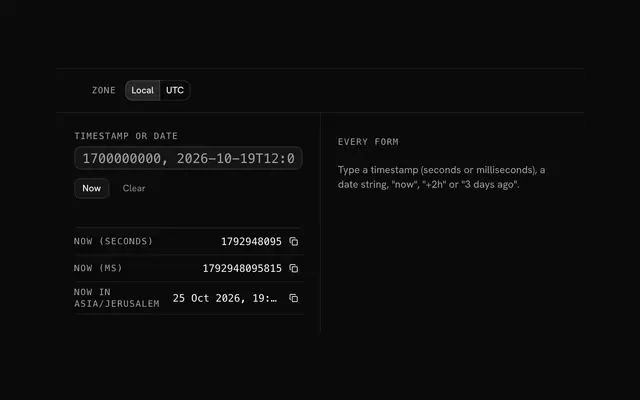
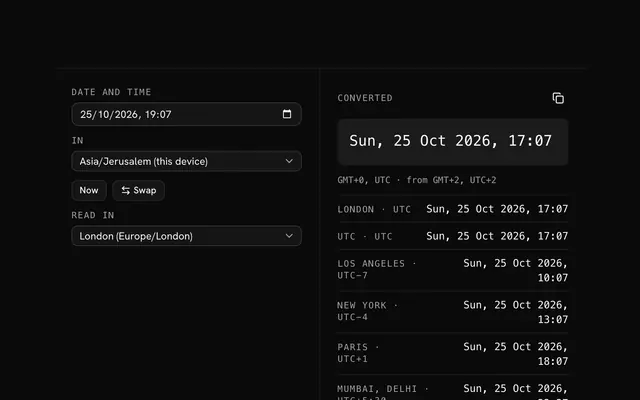
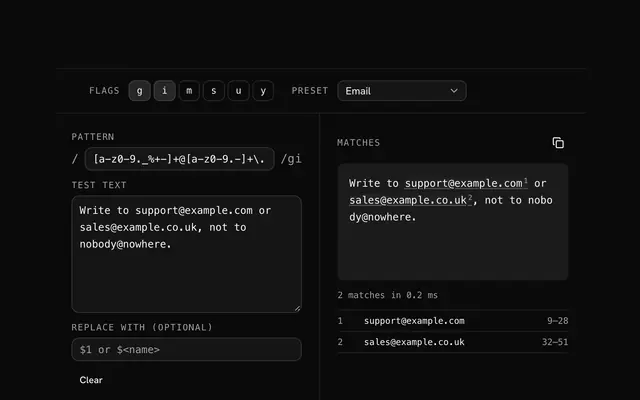
Closest to the Cron expression parser: Crontab generator, Unix timestamp converter, Time zone converter, Regex tester. Each opens on its own page, free and in the browser.
The Cron expression parser is one of 20 in its group. The group's page, /tools/security, lists them all.
The tool is free. Its interface is built from shadcn.io's own components (Button, Input, Slider and the rest of the registry under /ui), which come in React, Vue, Svelte and Solid. Pro adds the blocks and templates for the product around it.
4.9 out of 5 from 150+ developers


Build the product around it
Every block, template and icon, installed by your AI agent in your theme. The tools stay free.
Get Pro