Tailwind gradient generator.
Design a gradient on a live preview and get it as Tailwind v4 classes: bg-linear, bg-radial or bg-conic with from-, via- and to-, compiled and checked against the CSS.
Tailwind gradient generator.
Need the UI around it? With Pro, your AI agent builds the form, the result card and the rest of the page from a prompt.
Get ProHow it works
3 steps, no account. It runs in your browser and nothing is uploaded.
Start from a gradient
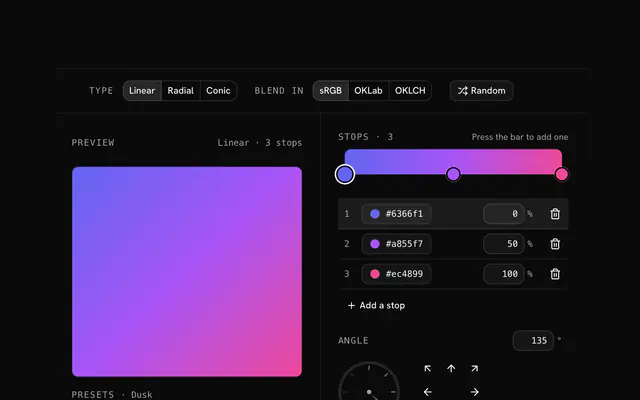
Linear, radial or conic, from a preset or the Random button.
Edit the stops
Drag the stops along the bar and pick their colors; three or fewer keep the classes short.
Copy the classes
Copy the class list into a className; the CSS tab has the same gradient.
Related tools
More CSS generators. Every one free, in the browser.
Pricing
Build it with Pro
The tool is free. Pro adds 6,000+ blocks, premium templates and the MCP server, so your AI editor builds the product around it.
4.9/5 out of 5 · 150+ reviewsfrom 150+ founders and developers.
- Secure checkout via Stripe
- Code lives in your repo
- Keep what you've shipped if you cancel
- License terms
Questions and answers
Before you trust the result: what to know about the format, the limits, your data and the tools next to it.
Version 4 names linear gradients bg-linear-to-r (the old bg-gradient-to-r still works) and adds any angle (bg-linear-45), radial gradients (bg-radial) and conic ones (bg-conic-90). The from-, via- and to- color utilities work as before, and positions are percentages such as from-10%.
Three: a from color, an optional via color and a to color, each with an optional position. A gradient with more stops has to be written whole, as an arbitrary value such as bg-[linear-gradient(…)], which the generator does for you.
OKLab, unless a modifier says otherwise: bg-linear-to-r/srgb, /hsl, /oklab and /oklch pick the space, and /longer or /shorter pick the way around the hue wheel. The generator opens in OKLab on this page, so the classes need no modifier.
Give bg-radial or bg-conic an arbitrary position: bg-radial-[circle_at_30%_20%] or bg-conic-[from_45deg_at_25%_50%]. The from-, via- and to- classes still supply the colors.
The Tailwind tab is shown first: a class list such as bg-linear-135 from-[#6366f1] via-[#a855f7] to-[#ec4899]. Copy it into a className or a class attribute; the CSS tab has the same gradient as plain CSS.
Yes. Arbitrary colors such as from-[#6366f1] work everywhere; if your theme defines the color, swap in its name (from-indigo-500). The positions and the direction class stay the same.
Each class string was compiled with Tailwind v4.3 in the generator's tests and checked against the CSS it shows. Version 3 used bg-gradient-to-r and has no radial or conic utilities, so the classes here need v4.
No request carries your input. The Tailwind gradient generator runs in your browser: nothing you enter is sent anywhere.
No. The Tailwind gradient generator is free and opens without a sign-in, an account or an install.
Nothing. The Tailwind gradient generator holds your input in the page's memory, so closing or reloading the tab clears it, and it saves nothing in this browser.
Tailwind v4 blends gradients in OKLab unless told otherwise, so opening in OKLab keeps the classes free of modifiers. Pick sRGB under Blend in and the direction class gains /srgb to match plain CSS.
When the gradient has more than three stops. Tailwind's from-, via- and to- utilities hold three colors, so a longer gradient is written whole inside one bg-[…] class.
No: the colors are arbitrary values such as from-[#6366f1], which work in any project. If a color is in your theme, put its name in their place (from-indigo-500); everything else stays the same.
Closest to the Tailwind gradient generator: CSS gradient generator, Tailwind box shadow generator, Glassmorphism generator, Color converter. Each opens on its own page, free and in the browser.
The Tailwind gradient generator is one of 10 in its group. The group's page, /tools/css, lists them all.
The tool is free. Its interface is built from shadcn.io's own components (Button, Input, Slider and the rest of the registry under /ui), which come in React, Vue, Svelte and Solid. Pro adds the blocks and templates for the product around it.
4.9 out of 5 from 150+ developers


Build the product around it
Every block, template and icon, installed by your AI agent in your theme. The tools stay free.
Get Pro