Tailwind box shadow generator.
Design a shadow in layers and get it as Tailwind: one shadow-[…] class, or an @theme token that becomes shadow-<name> across your project. Tailwind's own shadows are recognized by name.
Tailwind box shadow generator.
Need the UI around it? With Pro, your AI agent builds the form, the result card and the rest of the page from a prompt.
Get ProHow it works
3 steps, no account. It runs in your browser and nothing is uploaded.
Start from a shadow
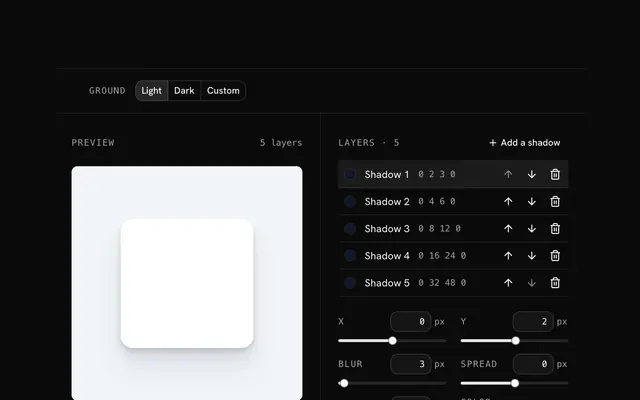
Pick a preset, or start from Tailwind's shadow-sm, shadow-lg or shadow-2xl and change it.
Shape the layers
Add, reorder and tune layers, or smooth the largest into a ramp.
Copy the class or token
Copy the shadow-[…] class, or name an @theme token and use shadow-<name>.
Related tools
More CSS generators. Every one free, in the browser.
Pricing
Build it with Pro
The tool is free. Pro adds 6,000+ blocks, premium templates and the MCP server, so your AI editor builds the product around it.
4.9/5 out of 5 · 150+ reviewsfrom 150+ founders and developers.
- Secure checkout via Stripe
- Code lives in your repo
- Keep what you've shipped if you cancel
- License terms
Questions and answers
Before you trust the result: what to know about the format, the limits, your data and the tools next to it.
shadow-2xs, shadow-xs, shadow-sm, shadow-md, shadow-lg, shadow-xl and shadow-2xl, plus inset-shadow-2xs, inset-shadow-xs and inset-shadow-sm. Version 4 moved the names down a step: v3's shadow-sm is v4's shadow-xs, and v3's plain shadow is v4's shadow-sm.
Commas separate the layers and underscores stand for spaces, inside one arbitrary value: shadow-[0_1px_2px_rgb(0_0_0/0.05),0_8px_24px_rgb(0_0_0/0.1)]. The generator writes it for you, inset layers included.
Put a --shadow-<name> variable in an @theme block in your CSS, after @import "tailwindcss". Tailwind v4 then makes a shadow-<name> class, and the value is also there as var(--shadow-<name>) for your own CSS.
Yes. Tailwind writes each color of a shadow as var(--tw-shadow-color, <color>), so adding a class such as shadow-indigo-500/30 swaps the color of every layer at once.
The Tailwind tab is shown first. When the layers are exactly one of Tailwind's own shadows, the class is its name, such as shadow-lg; anything else is one shadow-[…] class. The @theme tab turns the same layers into a named token.
Type it in the Token name box under the @theme code: Card hover becomes --shadow-card-hover and the class shadow-card-hover. Letters, digits and dashes are kept.
The arbitrary shadow-[…] class works in Tailwind v3 and v4. The @theme token and the names shadow-2xs and inset-shadow-sm are v4 only. Each class was compiled with Tailwind v4.3 in the generator's tests.
No request carries your input. The Tailwind box shadow generator runs in your browser: nothing you enter is sent anywhere.
No. The Tailwind box shadow generator is free and opens without a sign-in, an account or an install.
Nothing. The Tailwind box shadow generator holds your input in the page's memory, so closing or reloading the tab clears it, and it saves nothing in this browser.
Yes. When the layers are exactly one of shadow-2xs, shadow-xs, shadow-sm, shadow-md, shadow-lg, shadow-xl, shadow-2xl, inset-shadow-2xs, inset-shadow-xs, and inset-shadow-sm, the class is that name instead of an arbitrary value.
An @theme block with one --shadow-<name> variable, the layers one per line, and the class it makes: --shadow-soft becomes shadow-soft. Paste the block into the CSS file that imports Tailwind.
Inset layers go into the same shadow-[…] class with the inset keyword, and a single layer that equals inset-shadow-2xs, inset-shadow-xs or inset-shadow-sm gets that name.
Closest to the Tailwind box shadow generator: Box shadow generator, Tailwind gradient generator, Neumorphism generator, Text shadow generator. Each opens on its own page, free and in the browser.
The Tailwind box shadow generator is one of 10 in its group. The group's page, /tools/css, lists them all.
The tool is free. Its interface is built from shadcn.io's own components (Button, Input, Slider and the rest of the registry under /ui), which come in React, Vue, Svelte and Solid. Pro adds the blocks and templates for the product around it.
4.9 out of 5 from 150+ developers


Build the product around it
Every block, template and icon, installed by your AI agent in your theme. The tools stay free.
Get Pro