URL parser.
Paste a URL and read its scheme, user, host, port, path segments, query parameters and fragment, decoded or as written. Edit the query as a table and the URL is rewritten.
URL parser.
Need the UI around it? With Pro, your AI agent builds the form, the result card and the rest of the page from a prompt.
Get ProHow it works
3 steps, no account. It runs in your browser and nothing is uploaded.
Paste a URL
Any absolute URL, or a bare host such as example.com/path, which is read as https.
Read its parts
Each part decoded or percent-encoded, with the host in Unicode and in Punycode.
Edit the query
Change, add, sort or remove parameters, or strip tracking tags, and the URL is written again.
The parts of a URL
Eight parts, read in one order. The parser splits a URL the way the browser does before it requests it.
Scheme
How to fetch it: https, http, mailto, ftp, data. Web schemes come with a host; mailto and data have none.
User info
A user name and password before an @. Browsers strip them from links and warn on them, since they leak into logs.
Host
The server's name or IP address, lowercased, with Unicode names sent as Punycode xn-- labels.
Port
The TCP port. Left out when it's the scheme's default: 443 for https, 80 for http.
Path
The resource on the server, in segments between slashes. A trailing slash makes an empty last segment.
Query
Name and value pairs after ?, joined by &. Names may repeat, order is kept, and + is a space.
Fragment
Everything after #. It stays in the browser: an anchor in the page, or a route for a single-page app.
Origin
Scheme, host and port together. It's what the same-origin policy, cookies and CORS compare.
Related tools
More web and SEO tools. Every one free, in the browser.
Pricing
Build it with Pro
The tool is free. Pro adds 6,000+ blocks, premium templates and the MCP server, so your AI editor builds the product around it.
4.9/5 out of 5 · 150+ reviewsfrom 150+ founders and developers.
- Secure checkout via Stripe
- Code lives in your repo
- Keep what you've shipped if you cancel
- License terms
Questions and answers
Before you trust the result: what to know about the format, the limits, your data and the tools next to it.
scheme://user:password@host:port/path?query#fragment. The scheme says how to fetch it, the host and port where, the path what, the query adds parameters and the fragment points inside the page. Only the scheme and, for web links, the host are required.
Characters a URL can't hold as they are, written as % and two hex digits per UTF-8 byte: a space is %20 and é is %C3%A9. Each part has its own set of characters that need it, which is why a slash is fine in a path but a # must be escaped in a query value.
Only in the query, by the convention HTML forms use (application/x-www-form-urlencoded), where + stands for a space. In the path a + is a plus sign. The parser reads + as a space in query names and values and leaves it alone in the path.
DNS only carries ASCII, so a host with other letters is sent as Punycode labels that start with xn--: münchen.de travels as xn--mnchen-3ya.de. Browsers show the Unicode form unless the name mixes scripts in a way that could imitate another site.
No. The browser keeps everything after # to itself: it scrolls to the anchor or hands it to the page's script, and the request to the server stops before it. That is also why analytics tags placed after a # are never seen.
The WHATWG URL parser built into your browser, the same one behind links, fetch and new URL(), so the parts are exactly what the browser would request: the host lowercased and in Punycode, a default port dropped, and dot segments in the path resolved.
Every utm_ tag and the common click ids: gclid, gbraid, wbraid and dclid from Google, fbclid, msclkid, ttclid, twclid, yclid, li_fat_id, igshid and srsltid, Mailchimp's mc_cid and mc_eid, HubSpot's _hsenc and _hsmi, and _ga and _gl. Other parameters stay in their order.
No. The URL is read and rewritten in the page by your browser; nothing is fetched from it and nothing is sent anywhere.
No. The URL parser is free and opens without a sign-in, an account or an install.
Nothing. The URL parser holds your input in the page's memory, so closing or reloading the tab clears it, and it saves nothing in this browser.
Yes: anything the browser's URL parser accepts. mailto:, data: and other schemes without a host show no host, port or path segments, but their query is still read as a table, so a mailto: link's subject and body can be edited.
Yes. ?tag=a&tag=b shows two rows in their order, and a name written without = (?debug) stays that way when the URL is written back, unless you give it a value.
Each name and value is percent-encoded with encodeURIComponent, then the readable delimiters a query may hold (/ : @ ,) are put back, so a nested URL stays legible. Spaces are written %20 or +, as the Spaces as choice says; changing it rewrites the query.
It reads example.com/path as https://example.com/path and says so in the line under the field. A string with no dot and no scheme is refused rather than guessed.
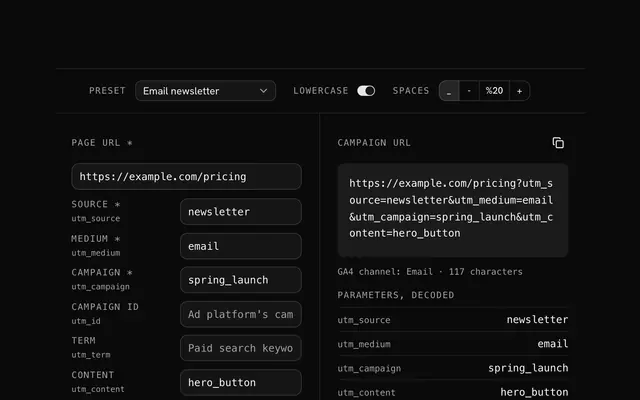
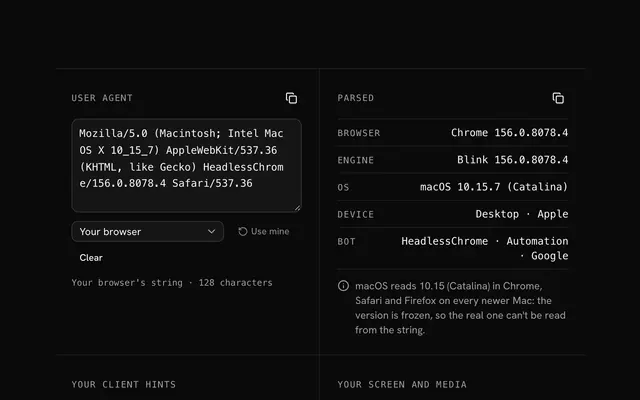
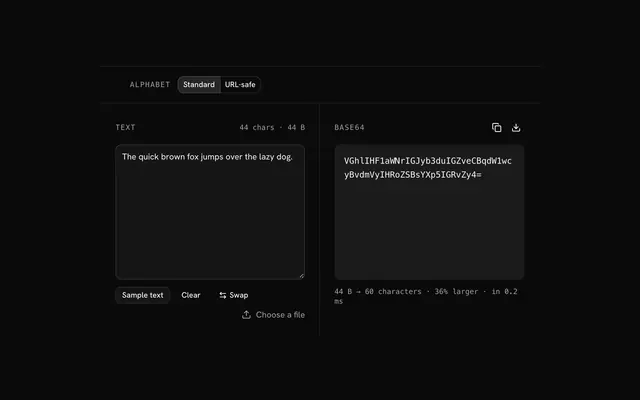
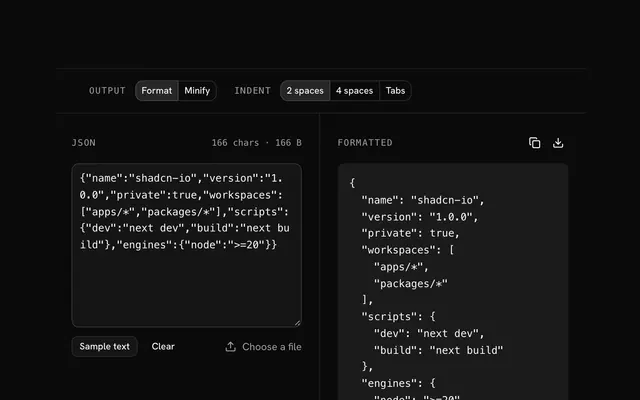
Closest to the URL parser: UTM builder, User agent parser, Base64 encoder, JSON formatter and validator. Each opens on its own page, free and in the browser.
The URL parser is one of 14 in its group. The group's page, /tools/web, lists them all.
The tool is free. Its interface is built from shadcn.io's own components (Button, Input, Slider and the rest of the registry under /ui), which come in React, Vue, Svelte and Solid. Pro adds the blocks and templates for the product around it.
4.9 out of 5 from 150+ developers


Build the product around it
Every block, template and icon, installed by your AI agent in your theme. The tools stay free.
Get Pro