shadcn.io is an independent project built on shadcn/ui
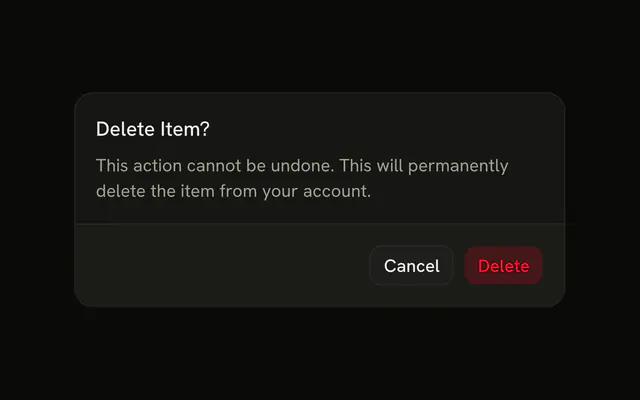
A destructive Delete Account button opens a warning that the account and its data will be removed. The field asks for the phrase delete my account. Delete Account stays off until the text matches. Cancel is beside it.
Use it when a delete cannot be undone and a plain yes is too easy. A simple confirm belongs in an Alert Dialog. In React, Base UI does not compare the phrase.
Installation
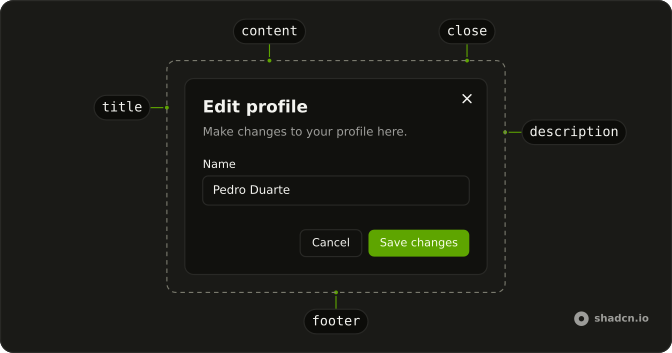
Anatomy
Usage
<Dialog>
  <DialogTrigger render={<Button variant="destructive" />}>
    Delete Account
  </DialogTrigger>
  <DialogContent className="sm:max-w-md">
    <DialogHeader>
      <DialogTitle>Delete Account</DialogTitle>
      <DialogDescription>
        This action cannot be undone. This will permanently delete your
        account and remove your data from our servers.
      </DialogDescription>
    </DialogHeader>
    <Field>
      <FieldLabel htmlFor="delete-confirmation-field">
        Type <span className="font-mono font-semibold">{requiredText}</span>{" "}
        to confirm
      </FieldLabel>
      <Input
        autoComplete="off"
        id="delete-confirmation-field"
        onChange={handleChange}
        placeholder={requiredText}
        type="text"
        value={confirmText}
      />
    </Field>
    <DialogFooter>
      <DialogClose render={<Button variant="outline" />}>
        Cancel
      </DialogClose>
      <Button disabled={confirmText !== requiredText} variant="destructive">
{/* The rest of the file is under Installation. */}
FAQ
Should the match be case-sensitive?
The demo compares exactly. Compare lowercase versions if you'd rather accept Delete My Account too; keep exact matching for names that are case-sensitive in your system.
What phrase should people type?
Something specific: delete my account, or the name of the resource. Avoid yes or confirm, which are typed without thinking.
How is the button disabled?
The input is controlled, and the button takes disabled until its value equals the phrase.
How do I make the danger clear?
Use variant="destructive" on the trigger and the button, and say exactly what will be removed in DialogDescription.
API Reference
Dialog
No extra props in this demo. The rest is on the Dialog page.
Button
Sets variant="destructive", variant="outline" and disabled={confirmText !== requiredText}. The rest is on the Button page.
Field
Sets htmlFor="delete-confirmation-field". The rest is on the Field page.
Input
Sets autoComplete="off", id="delete-confirmation-field", onChange={handleChange}, placeholder={requiredText}, type="text" and value={confirmText}. The rest is on the Input page.