shadcn.io is an independent project built on shadcn/ui
Enter Code opens Verify your email. The description says a 6-digit code was sent. Six slots sit under Verification code, with Resend under them. Verify stays off until all six digits are in.
Use it to collect a code without leaving the page. Resend does nothing until you wire it. Account details beside the code fit a Sheet. In React, Base UI does not check the code.
Installation
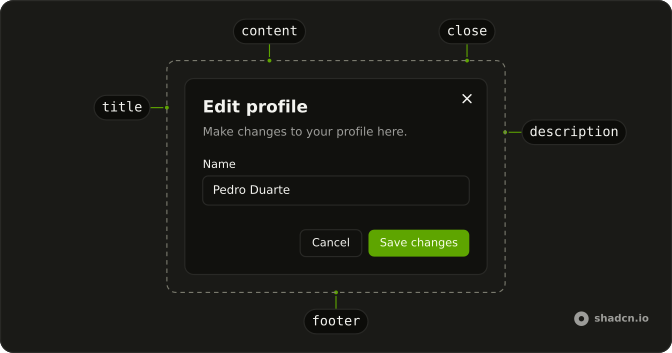
Anatomy
Usage
<Dialog>
<DialogTrigger render={<Button variant="outline" />}>
Enter Code
</DialogTrigger>
<DialogContent className="sm:max-w-md">
<DialogHeader>
<DialogTitle>Verify your email</DialogTitle>
<DialogDescription>
We've sent a 6-digit code to your email address. Please enter
it below.
</DialogDescription>
</DialogHeader>
<Field>
<FieldLabel htmlFor="otp-code-field">Verification code</FieldLabel>
<div className="flex justify-center">
<InputOTP
id="otp-code-field"
maxLength={6}
onChange={setValue}
value={value}
>
<InputOTPGroup>
<InputOTPSlot index={0} />
<InputOTPSlot index={1} />
<InputOTPSlot index={2} />
<InputOTPSlot index={3} />
<InputOTPSlot index={4} />
<InputOTPSlot index={5} />
</InputOTPGroup>
</InputOTP>
</div>
{/* The rest of the file is under Installation. */}FAQ
Should it submit on the sixth digit?
Only if verification is instant and errors are rare. Otherwise enable Verify at six digits, as here, and let Enter submit.
Can people paste the code?
Yes. Pasting a code fills the slots at once, so people can copy it from an email or a text message.
How is the value read?
The field is controlled, and Verify checks that all six digits are there. The value is a string, from onChange, with maxLength of 6.
Should Resend have a cooldown?
Yes: disable it for 30 to 60 seconds after a send and show the countdown. Resend is a link-style Button here; wire it to your request.
API Reference
Dialog
No extra props in this demo. The rest is on the Dialog page.
Button
Sets variant="outline", variant="link" and disabled={!complete}. The rest is on the Button page.
Field
Sets htmlFor="otp-code-field". The rest is on the Field page.
Input OTP
Sets id="otp-code-field", maxLength={6}, onChange={setValue}, value={value}, index={0} and index={1}. The rest is on the Input OTP page.





