shadcn.io is an independent project built on shadcn/ui
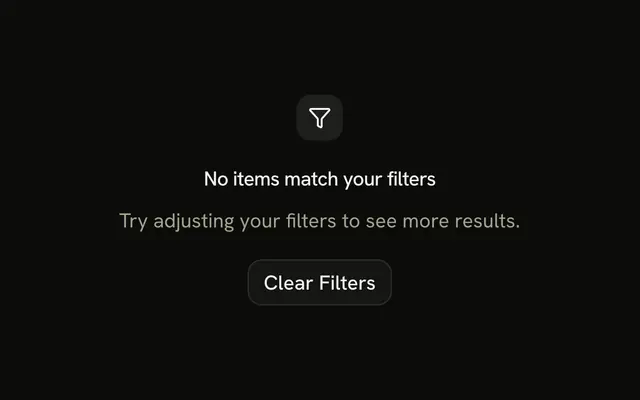
A filter icon, the title No results with current filters, and a note that this combination matched nothing. Clear All Filters and Browse All sit side by side.
Use it when people need two ways out of a dead-end filter. If one reset is enough, a single Button is clearer. In Solid, Ark UI does not clear the filters.
Installation
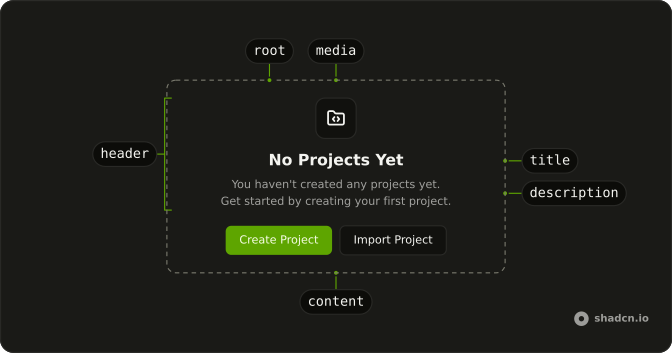
Anatomy
Usage
<Empty>
    <EmptyHeader>
      <EmptyMedia variant="icon">
        <FilterIcon aria-hidden="true" />
      </EmptyMedia>
      <EmptyTitle>No results with current filters</EmptyTitle>
      <EmptyDescription>
        Your current filter combination returned no results. Try removing some
        filters or starting over.
      </EmptyDescription>
    </EmptyHeader>
    <EmptyContent>
      <div class="flex gap-2">
        <Button>
          <RotateCcwIcon aria-hidden="true" data-icon="inline-start" />
          Clear All Filters
        </Button>
        <Button variant="outline">Browse All</Button>
      </div>
    </EmptyContent>
  </Empty>
FAQ
How are the two buttons laid out?
They sit in a div with flex gap-2 inside EmptyContent. Clear All Filters is a default Button with a RotateCcwIcon icon. Browse All is variant="outline" and has no icon.
Which part holds the filter icon?
EmptyMedia with variant="icon" wraps FilterIcon. That variant draws the icon tile and sets data-variant="icon".
What do the title and description say?
The title is "No results with current filters". The description says this combination returned nothing, and to try removing filters or starting over.
Why is one button outline?
Clear All Filters has no variant, so it uses the filled default. variant="outline" on Browse All keeps the same size and draws a border. Both labels are short enough for one row.
API Reference
Empty
Sets variant="icon". The rest is on the Empty page.
Button
Sets variant="outline". The rest is on the Button page.