shadcn.io is an independent project built on shadcn/ui
UI library: Ark UI
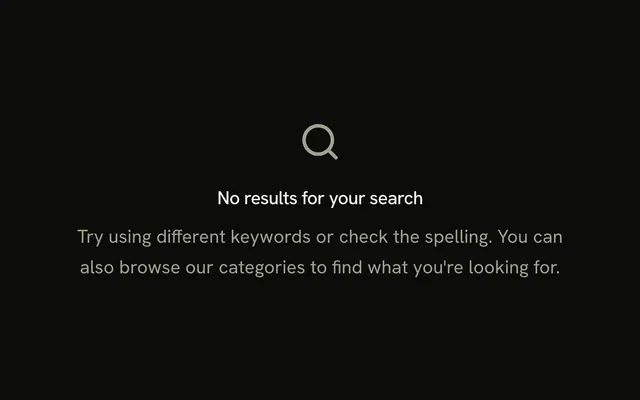
A search icon, the title No results found, and a description that says to try different keywords. There is no button.
Use it under a search field when the query matched nothing. While results are still loading, show a Skeleton. In Solid, Ark UI does not run the search.
Installation
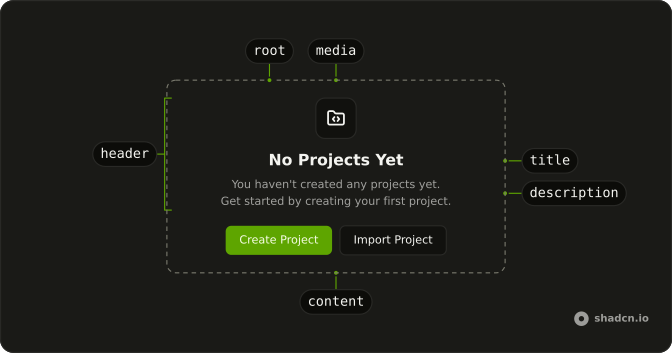
Anatomy
Usage
<Empty>
    <EmptyHeader>
      <EmptyMedia variant="icon">
        <SearchIcon aria-hidden="true" />
      </EmptyMedia>
      <EmptyTitle>No results found</EmptyTitle>
      <EmptyDescription>
        We couldn't find anything matching your search. Try different keywords.
      </EmptyDescription>
    </EmptyHeader>
  </Empty>;
FAQ
Does this empty state show the search term?
No. EmptyTitle is "No results found". EmptyDescription says nothing matched and to try different keywords. The term is not interpolated in this file.
Is there a button?
No. The file stops at EmptyHeader. Add EmptyContent with a Button when you want a clear or browse action.
How long is the description?
One sentence in EmptyDescription. That part is muted. There is no second paragraph.
API Reference
Empty
Sets variant="icon". The rest is on the Empty page.