Media tools.
Audio, video and your devices, without an upload. 3 tools, free, each running in your browser with nothing uploaded.
Every one of the media tools
3 tools.
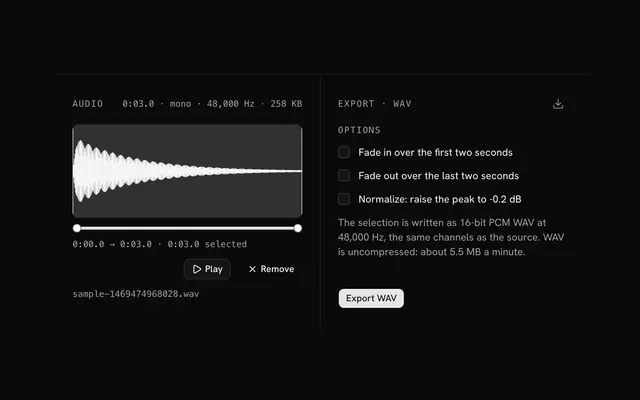 Audio editorAudioDrop an audio file, trim it on the waveform, add a fade or normalize it, and export a WAV.
 Video editor and compressorVideoDrop a video, trim it and re-encode it at a size and quality you choose, as WebM or MP4.
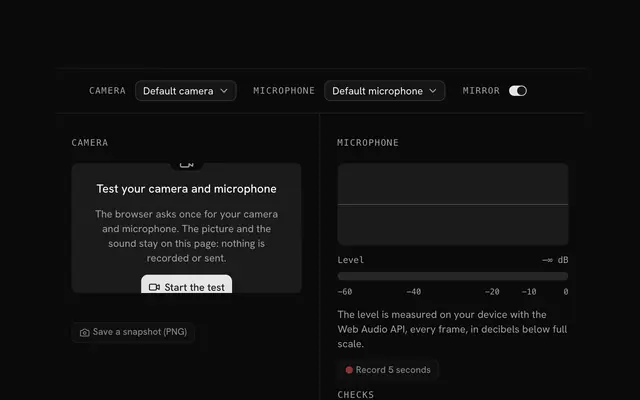 Mic and camera testCamera and microphoneSee your camera and hear your microphone before the call: a live preview, a level meter in decibels and a snapshot.
Need the product around them? With Pro, your AI agent builds the form, the result card and the rest of the page from a prompt, in your theme.
Get ProOther categories
More free tools. Every category runs in the browser, with nothing uploaded.
Pricing
Free tools, and the product around them with Pro
The tools are free. Pro adds 6,000+ blocks, premium templates and the MCP server, so your AI editor builds the product around them.
4.9/5 out of 5 · 150+ reviewsfrom 150+ founders and developers.
- Secure checkout via Stripe
- Code lives in your repo
- Keep what you've shipped if you cancel
- License terms
FAQ
Frequently asked questions
What the media tools can and can't do, how they treat your files and which to pick.
There are 3 tools: audio editor, video editor and compressor, mic and camera test. They trim and export audio, trim and shrink video, and check a camera and microphone before a call.
No. The file is decoded and encoded by your browser and the page makes no request with it. The mic and camera test keeps its streams in the page and records nothing.
Audio files up to 200 MB and video files up to 2 GB. The browser works in memory, so the practical limit is also what your device can hold.
The audio and video tools use the browser's own decoders, so anything your browser plays can be opened. The mic and camera test asks your permission for the devices and uses nothing else.
Drop a file, move the two handles under the waveform to set start and end, press Play to hear the part, and export it. Focus a handle and use the arrow keys for fine steps.
MP3, WAV, OGG, FLAC, AAC and M4A in all current browsers, plus Opus and WebM audio. Decoding is done by the browser, so a format it can't play can't be opened.
WAV only: 16-bit PCM with the source's channels. Browsers have no MP3 encoder, so a compressed export isn't possible without loading an encoder.
A fade is a linear ramp over the first or last two seconds of the selection. Normalize scales the selection so its loudest sample sits at -0.2 dB, which raises a quiet recording without clipping.
The clip is played on a hidden video element, each frame is drawn to a canvas at the output size, and the browser's MediaRecorder encodes the canvas and audio into a new file. It happens at playback speed.
In real time: a 30 second clip takes about 30 seconds, plus a moment to finish. Keep the tab in the foreground, because browsers slow hidden tabs and the recording would stutter.
Lower the quality (Small, Medium or High) or cap the longest side at 1080, 720 or 480 pixels. Both multiply, so a smaller size at Small quality gives the smallest file.
Anything the browser plays: MP4 with H.264 and AAC, WebM, and MOV from a phone in most browsers. HEVC (H.265) plays only where the system decodes it, mostly in Safari.
Press Start the test and allow the browser's request for the camera and microphone. The camera plays in a video element and the microphone feeds a level meter.
Nothing. No recording is made and no frame or sample is sent anywhere; the streams stay in the page. The browser's own indicator shows when the devices are on, and they are released when you press Stop or leave.
Decibels relative to full scale: 0 dB is the loudest the microphone can send and -60 dB is near silence. A bar pinned at 0 dB is too loud and will distort.
If you refused earlier, the browser remembers it. Click the camera icon in the address bar to allow the site, then press Start again; the page says which device it couldn't open.
4.9 out of 5 from 150+ developers


Build the product around them
Every block, template and icon, installed by your AI agent in your theme. The tools stay free.
Get Pro