shadcn.io is an independent project built on shadcn/ui
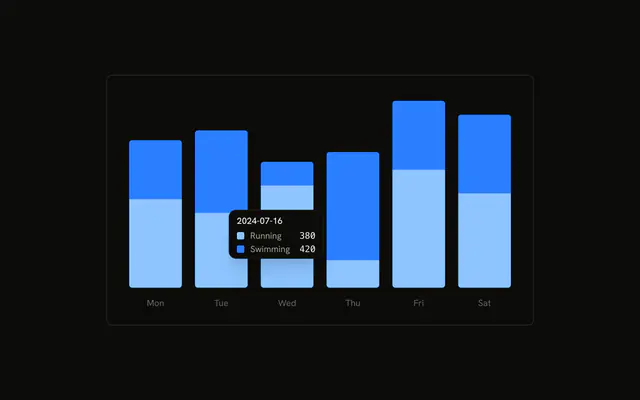
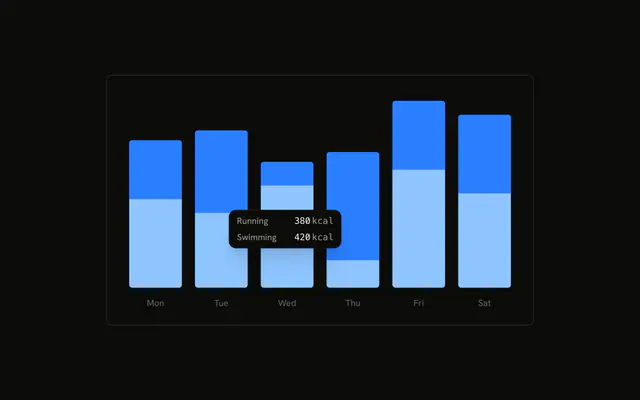
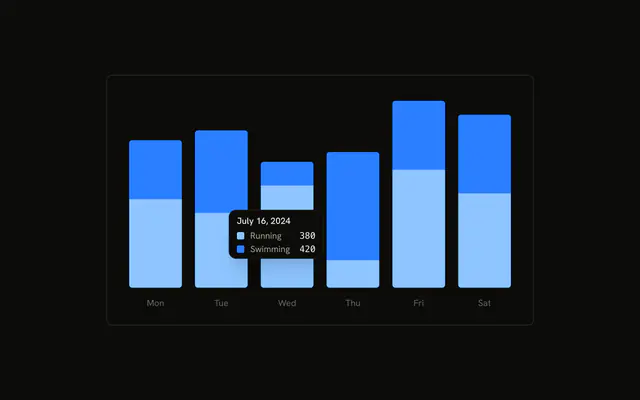
Stacked running and swimming bars, tooltip already open on the second day, with no date. Each row has a color swatch, the series name, and the value in kcal. The last row adds the day's total under a rule.
Use a custom row when the tooltip needs a unit and a total, not just a name and a number. A plain formatter is enough for the unit alone. A Tooltip is not a chart tooltip. In React, Base UI does not sum the day. The formatter adds running and swimming.
Installation
Anatomy

Usage
<div className="w-full max-w-xl rounded-md border bg-background p-4">
  <ChartContainer config={chartConfig}>
    <BarChart accessibilityLayer data={chartData}>
      <XAxis
        axisLine={false}
        dataKey="date"
        tickFormatter={formatWeekday}
        tickLine={false}
        tickMargin={10}
      />
      <Bar
        dataKey="running"
        fill="var(--color-running)"
        radius={[0, 0, 4, 4]}
        stackId="a"
      />
      <Bar
        dataKey="swimming"
        fill="var(--color-swimming)"
        radius={[4, 4, 0, 0]}
        stackId="a"
      />
      <ChartTooltip
        content={
          <ChartTooltipContent
            className="w-[180px]"
            formatter={formatItem}
            hideLabel
          />
        }
        cursor={false}
{/* The rest of the file is under Installation. */}
FAQ
What does the formatter replace?
ChartTooltipContent sets formatter to formatItem. When formatter is set, the default row (indicator, label, and value) is skipped and the function's result is the row. formatItem receives the value, the series name, the tooltip item, and the index.
What does one row contain?
A swatch colored with var(--color- plus the series name, then the label from config (Running or Swimming), then the value and the text kcal. The value uses font-mono and tabular-nums.
When does the total appear?
formatItem adds it when index === 1, the second series, swimming. It sums item.payload.running and item.payload.swimming and prints that under a border-t rule, with kcal again. A third series would not move that check.
Why is there no date in the tooltip?
ChartTooltipContent sets hideLabel, so the title is hidden. The date stays on XAxis, where tickFormatter is formatWeekday, a short weekday. The tooltip className is a fixed w-[180px].
API Reference
Chart
Sets config={chartConfig}, formatter={formatItem} and hideLabel. The rest is on the Chart page.