shadcn.io is an independent project built on shadcn/ui
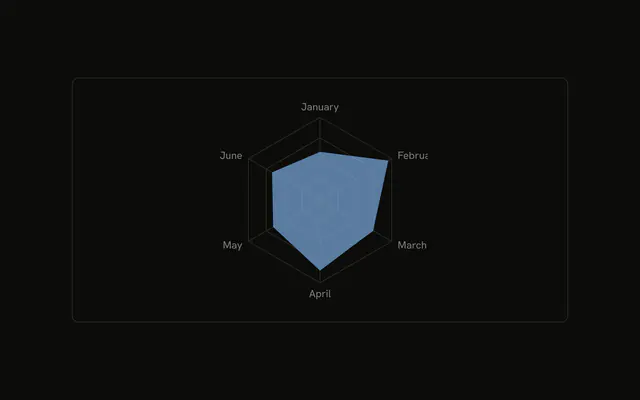
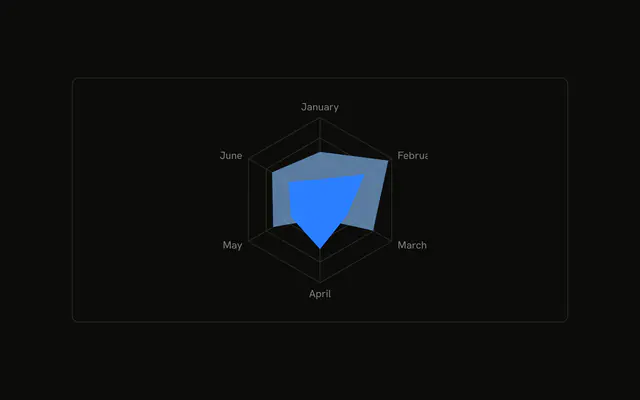
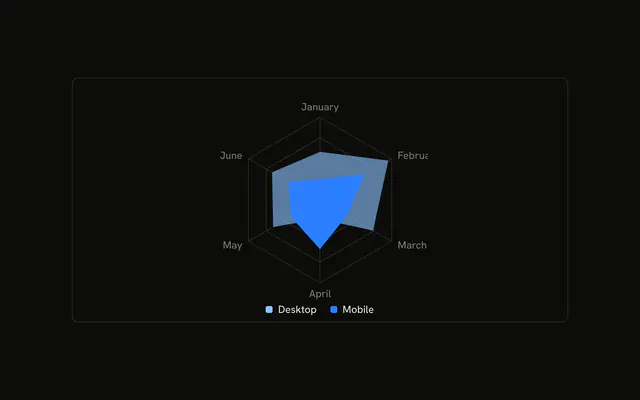
Desktop and mobile filled on one grid. Each axis label shows both values, then the month. January reads 186/80, with the month under the numbers, and the same pattern runs through June.
Use custom ticks when the labels should carry the data. A legend names the series, but it does not print each month. A Table prints both columns cleanly. In React, Base UI does not render those ticks. The demo's tick function does.
Installation
Anatomy

Usage
<div className="w-full max-w-xl rounded-md border bg-background p-4">
  <ChartContainer
    className="mx-auto aspect-square max-h-[250px]"
    config={chartConfig}
  >
    <RadarChart
      data={chartData}
      margin={{
        bottom: 10,
        left: 10,
        right: 10,
        top: 10,
      }}
    >
      <ChartTooltip
        content={<ChartTooltipContent indicator="line" />}
        cursor={false}
      />
      <PolarAngleAxis dataKey="month" tick={renderTick} />
      <PolarGrid />
      <Radar
        dataKey="desktop"
        fill="var(--color-desktop)"
        fillOpacity={0.6}
      />
      <Radar dataKey="mobile" fill="var(--color-mobile)" />
    </RadarChart>
  </ChartContainer>
</div>
FAQ
How do the axis labels show both values and the month?
PolarAngleAxis sets dataKey to month and tick to renderTick. That function reads chartData[index] and returns a text node with the desktop count, a slash, the mobile count, and the month on a second line.
How is that label text styled?
The text uses className fill-foreground, fontSize 13, and fontWeight 500. The slash and the month tspan use fill-muted-foreground. The month tspan also sets dy to 1rem, fontSize to 12, and x to the tick's x.
Why is the first label shifted up?
When index is 0, renderTick sets y to Number(y) - 10. The other months use the y they were given. RadarChart sets margin to 10 on every side.
Which series are filled?
One Radar uses dataKey desktop, fill var(--color-desktop), and fillOpacity 0.6. The other uses dataKey mobile and fill var(--color-mobile). config colors them with var(--chart-1) and var(--chart-2).
API Reference
Chart
Sets config={chartConfig} and indicator="line". The rest is on the Chart page.