shadcn.io is an independent project built on shadcn/ui
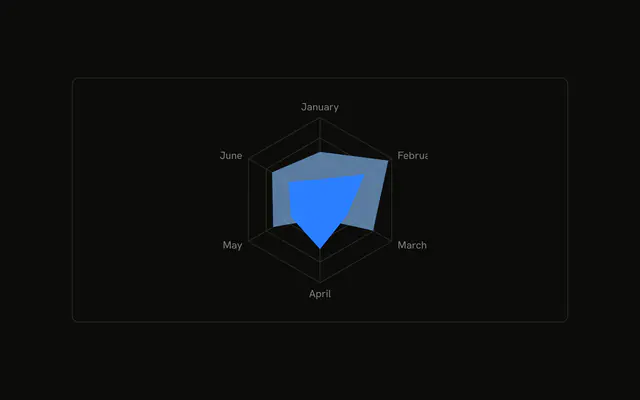
Desktop and mobile filled on one grid. Under the chart, a legend names both series with their colors.
Use a legend when two shapes share a grid and color is how you tell them apart. Icons in that legend help if color is not enough. For the numbers, use a Table. In React, Base UI turns both series colors into variables. You still add the legend.
Installation
Anatomy

Usage
<div className="w-full max-w-xl rounded-md border bg-background p-4">
  <ChartContainer
    className="mx-auto aspect-square max-h-[250px]"
    config={chartConfig}
  >
    <RadarChart
      data={chartData}
      margin={{
        bottom: -10,
        top: -40,
      }}
    >
      <ChartTooltip
        content={<ChartTooltipContent indicator="line" />}
        cursor={false}
      />
      <PolarAngleAxis dataKey="month" />
      <PolarGrid />
      <Radar
        dataKey="desktop"
        fill="var(--color-desktop)"
        fillOpacity={0.6}
      />
      <Radar dataKey="mobile" fill="var(--color-mobile)" />
      <ChartLegend content={<ChartLegendContent className="mt-8" />} />
    </RadarChart>
  </ChartContainer>
</div>
FAQ
How is the legend placed under the chart?
RadarChart renders ChartLegend with content set to ChartLegendContent and className mt-8. That margin pushes the legend down. verticalAlign is unset, so the legend stays at the bottom.
What do the legend items say?
ChartLegendContent looks up each series dataKey in config. desktop is labeled Desktop with color var(--chart-1), and mobile is labeled Mobile with color var(--chart-2).
How are the two shapes drawn?
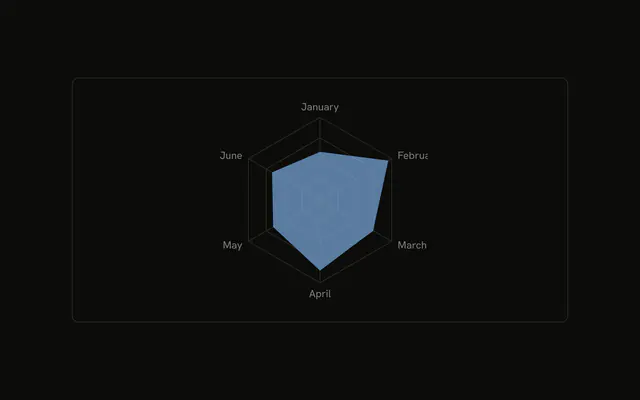
One Radar uses dataKey desktop, fill var(--color-desktop), and fillOpacity 0.6. The other uses dataKey mobile and fill var(--color-mobile). Both sit on a PolarGrid, with PolarAngleAxis dataKey set to month.
Why is the chart margin negative?
RadarChart sets margin to { top: -40, bottom: -10 }. That pulls the plot toward the legend so the square frame can hold both. ChartContainer is mx-auto aspect-square max-h-[250px].
API Reference
Chart
Sets config={chartConfig} and indicator="line". The rest is on the Chart page.