shadcn.io is an independent project built on shadcn/ui
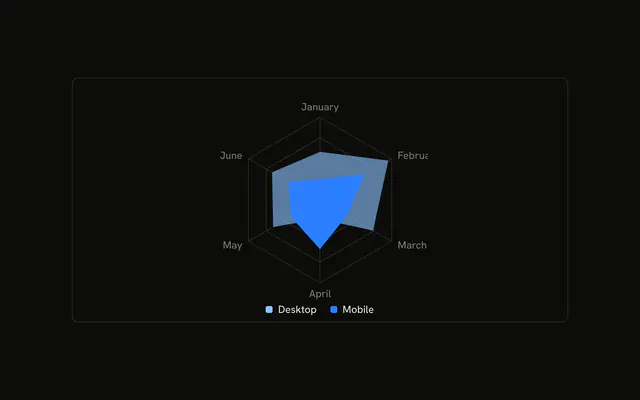
Desktop and mobile on one grid. Desktop is partly transparent, and mobile is drawn over it at full strength. The tooltip lists both values for the month.
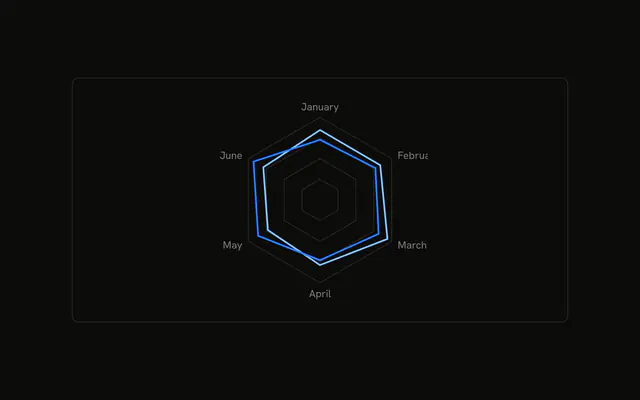
Use it to compare two profiles on one grid. Outlines are the alternative when a solid mobile shape covers too much. For the columns, use a Table. In React, Base UI does not layer the two shapes. You pass both series.
Installation
Anatomy

Usage
<div className="w-full max-w-xl rounded-md border bg-background p-4">
  <ChartContainer
    className="mx-auto aspect-square max-h-[250px]"
    config={chartConfig}
  >
    <RadarChart data={chartData}>
      <ChartTooltip
        content={<ChartTooltipContent indicator="line" />}
        cursor={false}
      />
      <PolarAngleAxis dataKey="month" />
      <PolarGrid />
      <Radar
        dataKey="desktop"
        fill="var(--color-desktop)"
        fillOpacity={0.6}
      />
      <Radar dataKey="mobile" fill="var(--color-mobile)" />
    </RadarChart>
  </ChartContainer>
</div>
FAQ
How do I plot two series on one radar?
Render two Radar components in the same RadarChart. One sets dataKey="desktop", the other dataKey="mobile". They share chartData, and each month row carries both numbers.
How do the overlapping fills stay readable?
Desktop sets fill="var(--color-desktop)" and fillOpacity={0.6}. Mobile sets fill="var(--color-mobile)" and leaves fillOpacity unset, so that polygon paints solid. The colors come from config: var(--chart-1) and var(--chart-2).
How does the tooltip show both values?
ChartTooltipContent sets indicator="line". On a month it lists Desktop and Mobile, using the label from config, each with its value. cursor={false} on ChartTooltip turns the hover cursor off.
What labels the spokes?
PolarAngleAxis uses dataKey="month", January through June. PolarGrid draws the rings and spokes behind both shapes. There is no ChartLegend in this file, so those names show up in the tooltip.
API Reference
Chart
Sets config={chartConfig} and indicator="line". The rest is on the Chart page.