shadcn.io is an independent project built on shadcn/ui
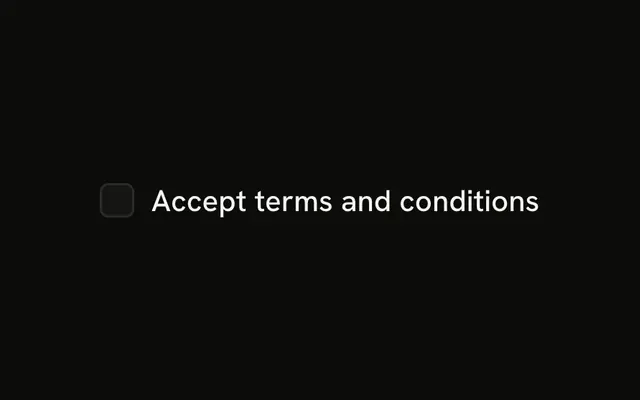
The box and its label sit on one line. The box alone is a small target, so the label has to toggle it too.
Use it when the choice waits for the form to be submitted. A Switch fits a setting that applies the moment it changes. In React, React Aria tracks a mixed state when only some children are on.
Installation
Anatomy
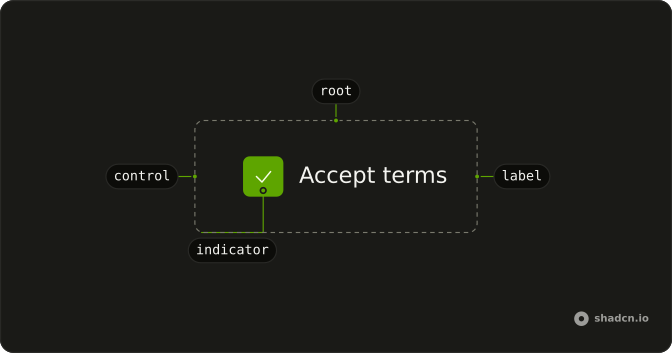
Checkbox
├── CheckboxLabel
├── checkboxVariants
└── CheckboxIndicator
Usage
import { Checkbox } from "@/components/ui/checkbox";
import { Field, FieldGroup, FieldLabel } from "@/components/ui/field";<FieldGroup className="w-fit whitespace-nowrap">
<Field orientation="horizontal">
<Checkbox name="terms" />
<FieldLabel>Accept terms</FieldLabel>
</Field>
</FieldGroup>Accessibility
- Space
- Toggle the checkbox.
Demos
Invalid
aria-invalid on the checkbox and data-invalid on the field turn on the error styling for a terms box that was left empty. The words of the error still have to live somewhere the person can read. Use the invalid state after submit, when acceptance was required and did not happen. A disabled box is not an error: it is a choice the person cannot make.
Basic
One checkbox, one label, a name for the form. That is the smallest useful version: the label is the hit target, and the name is how the value shows up on submit. Start here for a single agreement. Add a description only when the label's words are not enough to explain the consequence, and a group only when there are several related boxes.
Description
The terms box is already checked, and a second line under the label says you agree to the terms. FieldContent stacks the label and that description so the checkbox stays aligned to the first line, not the whole block. Use the extra line when the consequence is easy to miss, such as a billing change or a data share. Keep that line to the consequence, shorter than a paragraph.
Disabled
Notifications cannot be toggled. disabled is on the checkbox and data-disabled is on the field, so the label fades with the box and clicks do nothing. Use this for a preference the current plan or role does not allow, and say why nearby if it is not obvious. Hiding the row is the alternative when the choice should not even be visible.
Group
Hard disks and external disks start checked, servers does not, and the set is labeled Desktop. Each box has its own name, because these are independent choices, not a single value. Use a fieldset when several checkboxes answer one question. A Listbox is a better fit once the list is long enough that a stack of boxes becomes a chore.
Table
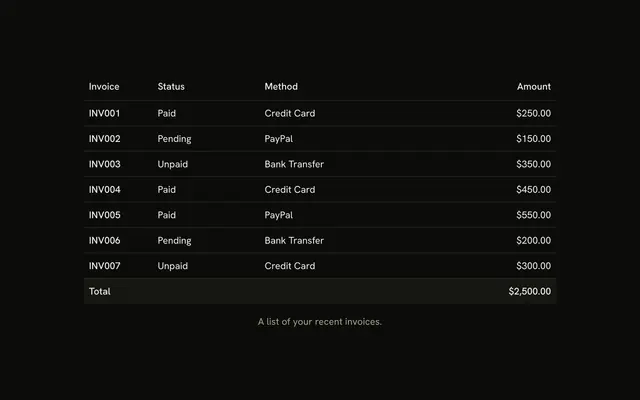
Each person row has a checkbox, the header checkbox selects or clears every row, and Sarah starts selected. Keep the selected ids in state, and mark the row when it is in that set, so the highlight and the box agree. Use this for bulk actions on a Table. For a handful of options that are not records, the grouped checkboxes are simpler.
Rtl
The group sets dir to rtl. The checkbox stays on the start side of the row, and the label قبول الشروط follows it, so the line reads correctly without swapping the markup. Direction belongs on the group when this block can sit inside a left-to-right page. Checking the box works the same either way.
FAQ
Should I use a Checkbox or a Switch?
Use a Checkbox for a choice that takes effect when the form is submitted, like accepting terms or picking filters. Use a Switch for a setting that applies the moment it changes, and a Radio Group when only one option can be picked.
How do I control a Checkbox's checked state in React?
Hold the checked state yourself and pass it back on every change.
Pass isSelected and update it in onChange, which receives the new boolean. Use defaultSelected when you only need a starting value.
How do I show an indeterminate Checkbox?
Use the indeterminate state on a parent whose children are only partly checked, and compute it from the children yourself.
Pass isIndeterminate.
How do I build a select-all Checkbox for a table?
Keep the selected row ids in a set. The header checkbox is checked when every row is selected, indeterminate when only some are, and toggles all of them when clicked. The Table demo shows the whole pattern.
How do I add a label to a Checkbox in React Aria?
Put the Checkbox and a FieldLabel in a horizontal Field, so clicking the text toggles the box and gives a larger tap target on phones.
Give the checkbox an id and point the label's htmlFor at it.
Does the Checkbox submit with a native form?
Yes. Give it a name and it submits through a hidden input when checked, with value as the submitted value.
With React Hook Form, TanStack Form or Formisch, connect the field's value to the checked state and its change handler.
How do I change the Checkbox size or colors?
Edit the checkbox file in your project's components/ui folder: the box, the check icon and their sizes are classes there. Its states come through as data attributes, listed in the API reference below, so you can style checked, disabled and invalid boxes with Tailwind variants.
API Reference
Checkbox
data-slot="checkbox"
children?ReactNode
The label for the element.
defaultSelected?boolean
Whether the element should be selected (uncontrolled).
isIndeterminate?boolean
Indeterminism is presentational only. The indeterminate visual representation remains regardless of user interaction.
isSelected?boolean
Whether the element should be selected (controlled).
onChange?(isSelected: boolean) → void
Handler that is called when the element's selection state changes.
- Parameters
isSelected– boolean- Returns
void
value?string
The value of the input element, used when submitting an HTML form. See [MDN](https://developer.mozilla.org/en-US/docs/Web/HTML/Element/input#htmlattrdefvalue).
- Default
"on"
className?string
Merged with the part's classes.